


Pinu - Language Learning
3.921.00 Reviews
App Specs
- Version
- 2.3.0
- Updated On
- License
- Free
- Downloads
- 10,000+
- Developer
- LEAF BOAT TECHNOLOGY LIMITED
- Categories
- Education
- Platform
- Android
Screenshots

 Analysis by AppCompare
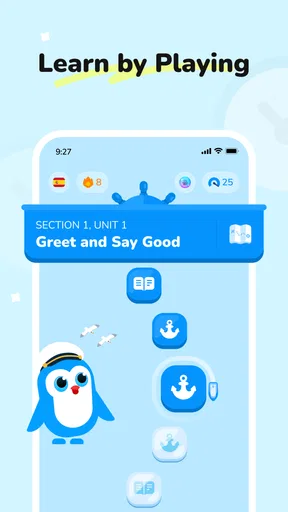
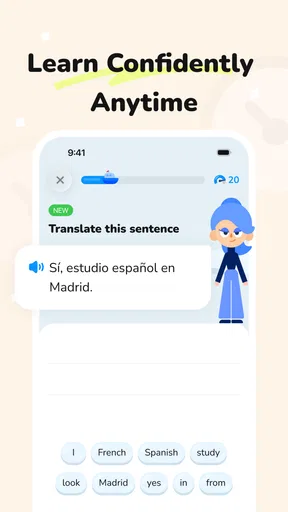
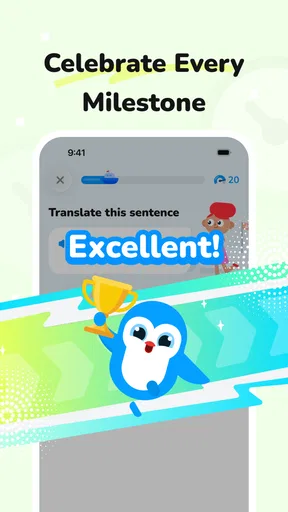
When I tried Pinu - Language Learning, I approached it less like a serious classroom replacement and more like something I could open for a few minutes when I wanted language practice without preparing a lesson. That distinction matters. It is an education app from LEAF BOAT TECHNOLOGY LIMITED, and its central appeal is a playful route into speaking and exploring languages rather than a heavy study routine. I can imagine it fitting naturally into a household where one person wants a quick activity on a shared phone or tablet, provided everyone keeps their own progress and expectations clear.
The app is free to install and suitable for Everyone, which makes it easy to consider for a mixed-age home. Its average rating is 3.8 from around 42 ratings, with about 21 written reviews, and it has passed 10K+ installs. Those figures suggest a small but real user base rather than a long-established language platform. I would therefore treat it as an approachable option to test, not as a proven substitute for a course, tutor, or mature study system.
How Pinu fits into everyday language practice
I’d use this section to pin down the role Pinu can play in an ordinary week: a brief, low-pressure speaking activity that can sit alongside lessons, books, or conversation rather than compete with them. That distinction helps a first-time user decide what a satisfying early result looks like. Next, I’d focus on making the first session feel manageable, so opening the app leads to a clear attempt instead of aimless tapping.
A shared-device moment that actually makes sense
The most convincing use case for me is a short shared session. Imagine a parent waiting with a child before an appointment, or two siblings taking turns with the same tablet after dinner. One person can practise for a few minutes, hand over the device, and let the next person try. That kind of informal rhythm suits Pinu better than a plan that demands a quiet desk, a notebook, and a fixed timetable.
I would not make the mistake of treating a shared device as a shared learning profile. Even when an app feels friendly and casual, language practice becomes confusing if several people tap through the same progress path. New words may no longer reflect the right learner, and a child may assume that an adult’s activity belongs to them. My practical advice is to decide before the first session whether the app will be used by one main learner or simply as a turn-taking activity without relying on a single progress record.
That boundary is especially useful when the household has different goals. A younger learner may enjoy the playful side, while an adult may want pronunciation practice or travel vocabulary. If both people use the same route, neither gets a perfectly tailored experience. I found that Pinu works best when the family agrees that the session is about exposure and participation, not a formal competition over who has advanced further.
What to do before handing over the phone
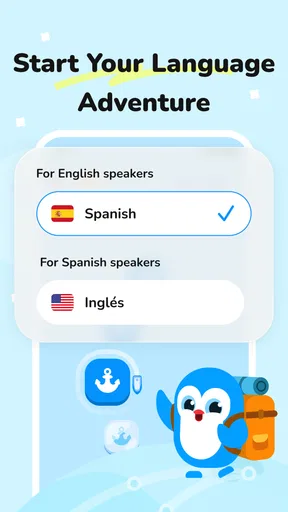
Setup is not only a technical step in a household. It is also a chance to establish who is using the app and what the session is meant to achieve. I would begin by choosing one learner, checking the language direction carefully, and deciding whether the device is being used for independent practice or supervised exploration. That small pause prevents the common problem of a child tapping through choices simply to reach the next activity while an adult later assumes genuine practice took place.
Worth Reading Before You Choose

Baby Panda World Brings Quick Play to Modern Phones, but Its Game Library Feels Busy

ESPN’s Live Game View Makes Following Close Games Easier

QuizzLand Review: A Good Fit for Short Trivia Breaks, Not Every Player

Basketball Stars: Multiplayer Is Fast, but Can It Recover When Matches Go Wrong?

WEBTOON Turns Phone Updates Into a Better Reading Routine

Link to Windows Runs on Shared Habits, Not Social Feeds
I would also keep the first session short. Rather than promising a long daily lesson, I would use the opening visit to see whether the speaking activities feel comfortable, whether the learner understands the instructions, and whether the pace matches their age and confidence. This is one of the app’s useful trade-offs: its approachable design can lower resistance, but a relaxed experience may not provide enough structure for someone who needs a carefully sequenced curriculum.
Because the app includes in-app purchases ranging from $1.99 to $99.99 per item, I would handle the store account separately from the learning decision. A free download does not mean every optional element will remain free. On a shared device, the person who starts the activity may not be the person who controls purchases, so adults should agree on that boundary in advance. I would never let a child explore payment screens unsupervised simply because the app carries an Everyone age rating.
Coordinating practice without turning it into homework
Pinu is easier to use well when the household gives it a simple role. For example, I might reserve it for a five-minute warm-up before a trip, a pronunciation game after learning a few words elsewhere, or a light activity while waiting. I would not ask it to carry the entire burden of language education. That division of labor makes the experience more sustainable: the app provides an inviting point of contact, while books, conversation, schoolwork, or a tutor handle depth and correction when needed.
A useful household routine is to let each learner explain one thing they remember after a session. This does not require inventing a score or a family leaderboard. It simply turns solitary tapping into a small conversation. An adult can ask the child to say a new word, while the child can ask the adult to repeat one. That approach also reveals whether the activity is producing usable recall or only momentary recognition.
I found that coordination works better when nobody treats the app as a test of intelligence. Speaking practice can feel exposing, especially for a beginner who is unsure of their accent. If a family member laughs at mistakes, the playful atmosphere disappears quickly. The better approach is to celebrate attempts, repeat difficult sounds calmly, and stop before frustration turns the app into a chore. Pinu can invite participation, but the people around the learner still determine whether that invitation feels safe.
Age, trust, and the limits of a friendly interface
The Everyone rating makes Pinu broadly suitable from an age-classification perspective, but that should not be confused with automatic suitability for every child. Children differ in reading ability, attention span, confidence with speech, and understanding of app purchases. I would sit with a younger learner at least during the first use, not because the app is inherently alarming, but because supervision helps explain what each activity is asking and keeps the device’s wider account environment separate from the lesson.
For older children and teenagers, I would give them more independence while still agreeing on when and how the app is used. A language app can be a positive shared-device choice because the activity has a clear educational purpose, yet trust should remain specific: permission to practise does not automatically mean permission to buy optional content or change other device settings. Keeping those expectations explicit avoids awkward arguments later.
Adults should also remember that a child’s progress is not a complete measure of learning. A learner may enjoy repeating familiar activities and still need help transferring words into a real conversation. I would use Pinu as one signal of engagement, not as a report card. That is a particularly important distinction in a household where siblings have different ages or where one child is already studying the language formally.
Speaking practice: where the app can earn its place
The promise of combining play with speaking is more useful than a purely passive vocabulary list. In my experience, saying something aloud changes the feeling of practice: I have to commit to an answer instead of merely recognizing it on a screen. That makes Pinu a reasonable choice for a learner who avoids traditional flashcards because they feel repetitive or too academic.
Still, I would keep expectations realistic. Short app activities can encourage pronunciation attempts, but they are not the same as a conversation with a patient person. They may not address every accent, hesitation, or grammatical mistake that appears in spontaneous speech. Someone preparing for an interview, examination, relocation, or professional presentation should pair the app with structured speaking feedback rather than relying on it alone.
A non-obvious benefit of using it on a shared device is that a family member can listen without taking over. One person speaks, the other observes, and then they switch. That creates a low-pressure rehearsal space. The observer should resist correcting every sound, though. I would focus on whether the learner understood the prompt and made a genuine attempt, then leave detailed pronunciation work for a teacher or a more specialized tool if necessary.
Where it differs from ordinary alternatives
Compared with a paper phrasebook, Pinu is more interactive and easier to approach when motivation is low. A book remains better for scanning a complete topic, making notes, and seeing explanations at a glance. Compared with ordinary flashcard apps, Pinu’s playful framing and speaking emphasis may feel less mechanical, but a dedicated flashcard system usually gives the learner more control over review timing and custom vocabulary.
Compared with a full language course, Pinu is lighter. A course is generally the better choice when I need a clear sequence from beginner grammar to more advanced communication, regular assessments, and a defined long-term path. Pinu is more attractive when the immediate problem is getting someone to start. That makes it a useful doorway, not necessarily the whole building.
It also differs from a live tutor in the most important way: there is no human relationship guiding the session. A tutor can notice confusion, adapt examples, and explain why a phrase sounds natural. Pinu can make practice convenient and less intimidating, but it cannot replace that responsive judgment. I would choose the app for frequent informal contact and a tutor for correction, accountability, or a specific personal objective.
The practical cost of the free starting point
The free price makes experimentation easy, which is valuable for families unsure whether a learner will stick with language practice. I could try the basic experience before committing money, then decide whether optional purchases add enough value for the intended user. The important point is to judge purchases against a concrete need rather than buying simply because a child enjoyed the first session.
The listed purchase range, from $1.99 to $99.99 per item, is wide enough that household planning matters. I would check the exact item and its purpose before approving anything, especially on a device used by several people. A high-priced option may make sense to a committed learner, but it would be poor value for a family that only wants occasional entertainment or for a beginner who has not yet established a routine.
I would also avoid assuming that paying will solve every limitation. Extra content can expand what is available, but it does not automatically provide personal correction, a family dashboard, or a complete academic program. The strongest reason to use Pinu remains its accessible style and speaking-oriented practice, not the idea that an optional purchase can replace other learning support.
Version, device expectations, and who should skip it
The current version is 2.3.0, and the app requires at least OS 9. That makes it relevant to people using a reasonably current Android or iOS device, while anyone relying on an older phone should check compatibility before planning a household routine. On a shared device, compatibility is only one concern: the screen should also be comfortable for the youngest user, and the microphone experience should be clear enough for speaking activities.
I would skip Pinu if my main goal were a formal certificate, advanced grammar mastery, detailed progress reporting, or guaranteed one-to-one correction. I would also look elsewhere if I wanted a highly customizable system for importing my own word lists and controlling every review interval. Those needs point toward a course, tutor, or specialist study tool.
I would be cautious about choosing it as the only resource for a child who needs a carefully managed curriculum. The Everyone label is reassuring for general suitability, but it does not tell me whether the pace, reading demands, or activity style will match a particular learner. A supervised trial is wiser than assuming that a broad age category guarantees a perfect fit.
Small habits that improve the experience
My first tip is to use a spoken handoff. After one learner finishes, they should say the language and activity they were practising before the next person begins. This takes seconds, but it prevents accidental mixing of intentions on a shared device. If the app does not offer separate household profiles, this simple ritual provides a human substitute for that missing organization without pretending that the app tracks each person independently.
My second tip is to pair each session with one offline repetition. A learner can say a new word while setting the table, naming an object in the room, or preparing for a trip. The point is not to invent a feature inside Pinu; it is to move the word beyond the screen. That step exposes whether the learner remembers the sound and meaning when the visual prompt is gone.
My third tip is to stop while the mood is still positive. Short, successful sessions are more useful than forcing a child or tired adult through a long practice block. If the learner repeatedly guesses, becomes silent, or starts tapping without listening, I would end the session and return later. The app’s playful entry point works best when it remains an invitation rather than another obligation.
Finally, I would keep purchase approval with one adult and discuss it before anyone uses the app. This is not a criticism of Pinu specifically; it is simply good shared-device practice. The free installation lowers the barrier to trying it, while the available purchase range means the household should still treat the app as part of its broader account and spending environment.
My household verdict
After looking at it through a shared-use lens, I see Pinu as a friendly starting point for families and individuals who want language practice to feel less formal. Its strongest role is a short, spoken activity that can fit into waiting time, a relaxed evening, or a travel-preparation routine. I like that it can give a hesitant learner a reason to say words aloud instead of silently scanning them.
My recommendation comes with clear boundaries. Use one learner at a time, coordinate turns openly, supervise younger children at the beginning, and keep purchases under adult control. Treat the app as a supplement rather than a complete course, particularly if the learner needs grammar depth, personal correction, or measurable academic progress. Those limits do not cancel its value; they define it.
For a household looking for an easy first step, the free entry point and Everyone rating make trying it straightforward. For a serious long-term learner, I would combine it with a structured resource and real conversation. Pinu is at its best when it turns a few spare minutes into a comfortable speaking habit, not when it is asked to do the work of an entire language program.
Pros
- Short lessons fit easily into busy daily routines.
- Useful review exercises help reinforce recently learned words.
- The interface is clean
- friendly
- and easy for beginners to navigate.
- Progress tracking makes it easier to maintain a regular study habit.
- Suitable for practicing vocabulary across several everyday topics.
Cons
- Some activities may feel repetitive after extended use.
- Advanced learners may find the content too limited.
- Certain lessons or features may require a paid subscription.
- Explanations can be brief when users need deeper grammar guidance.
- Learning requires consistent practice; quick sessions alone may not be enough.
FAQs for Pinu - Language Learning
What is Pinu - Language Learning, and how does it work?
Pinu - Language Learning is designed to help users practice and improve a foreign language through short, interactive lessons and regular revision. The app typically combines vocabulary building, listening practice, pronunciation activities, and simple exercises that can be completed in small sessions. Its format is suitable for beginners and casual learners who prefer guided practice rather than a traditional textbook-based course.
Which languages can I learn with Pinu - Language Learning?
The available language selection may depend on the version of Pinu, your device, and the learning language you choose. Before downloading, check the app’s current store listing for the complete and most up-to-date list of supported language courses. It is also worth confirming whether your preferred course uses your native language for instructions, since explanations and interface support can vary between language combinations.
Is Pinu - Language Learning suitable for complete beginners?
Pinu can be useful for complete beginners because its learning approach is based on manageable exercises and gradual exposure to new words and phrases. New users should still expect to review material regularly and repeat difficult lessons, as no language app can replace consistent practice. Learners with previous experience may also use it for vocabulary revision, basic listening practice, or maintaining a daily study habit.
Does Pinu require an internet connection or offer offline learning?
Some functions of Pinu may require an internet connection, particularly account synchronization, progress updates, advertisements, new content, or online features. Depending on the app version and subscription plan, selected lessons may be available for offline use after being downloaded. Because offline access can change with updates, users who travel frequently should check the current app description and test downloaded lessons before relying on the app without mobile data.
Is Pinu - Language Learning free to download, and are there in-app purchases?
Pinu may be available as a free download, but access to all lessons, advanced exercises, additional language content, or an ad-free experience can depend on in-app purchases or a subscription. Review the pricing information shown in the Google Play Store or Apple App Store before starting a trial. Also check renewal terms, cancellation requirements, and whether payment is managed through your device’s store account.


